Know what to do first.

Your brain has too many tabs open.

Brain dump everything. Lumin reads your list and tells you exactly what to do first — no folders, no setup, no staring at the screen.

Start free trial → 7-day free trial · Cancel anytime
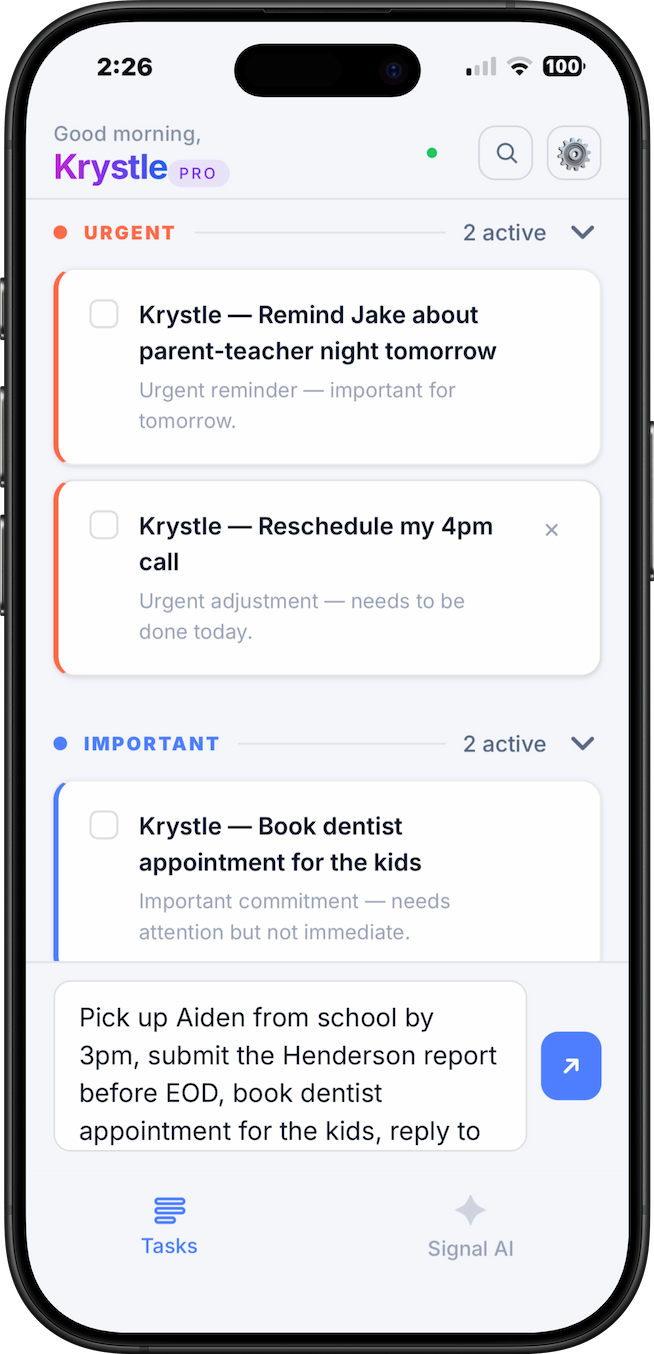
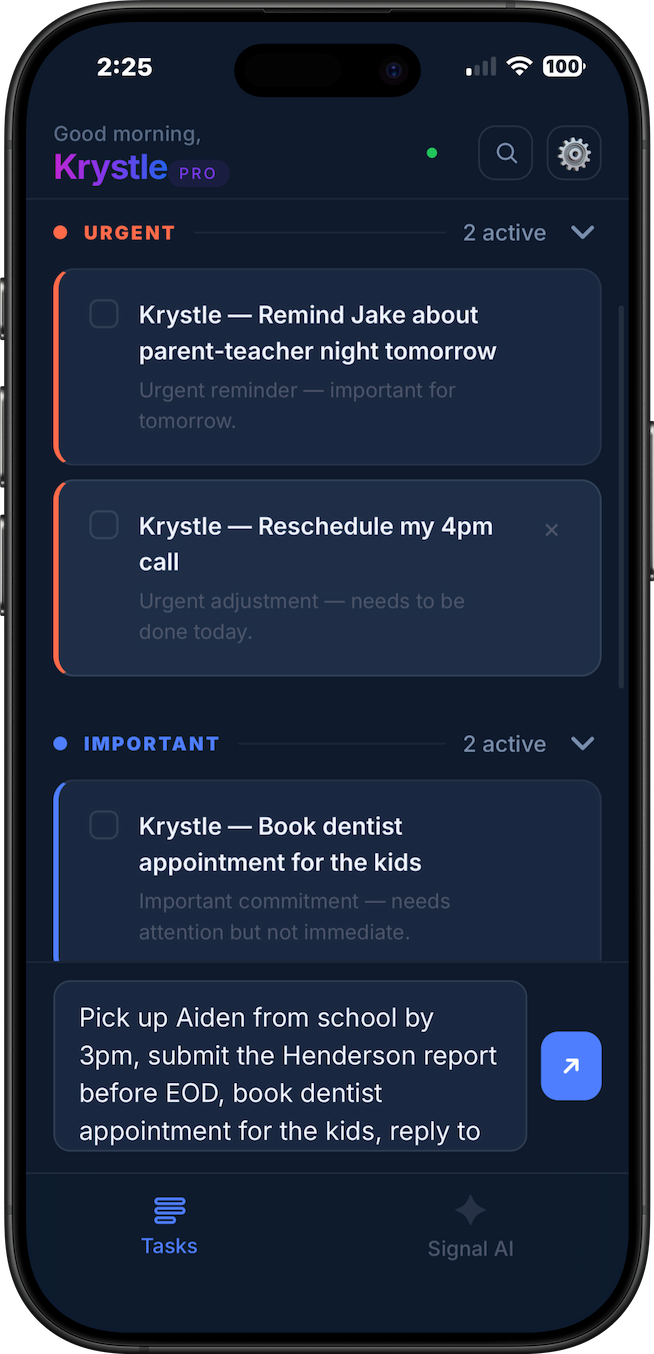
Lumin app showing AI task prioritization — urgent, important and later tasks sorted automatically for a working mother Lumin app dark mode showing AI task prioritization with urgent and important tasks sorted
📱 App screenshot
lumin-app-light.png · lumin-app-dark.png
The problem

You know what needs doing. You just can't decide where to start.

You open your notes app. You write everything down. Then you just sit there, staring at 20 things that all feel equally urgent.

So you close the app, open Instagram, and feel vaguely terrible for the rest of the day. Not because you're lazy. Because your brain is trying to hold 20 decisions in working memory at once — and it freezes.

This isn't a motivation problem. It's a prioritisation problem. And no folder, label, or colour-coded system is going to fix it — because the system is the problem.

Reply to client before EOD Overdue
Pay the invoice — they've followed up twice Urgent
Book dentist — kids are overdue Maybe today?
Reply to that Slack thread Maybe
Gym 😬
Reorganise Notion workspace Again
Learn Figma lol
That thing I said I'd do last week Still pending
How it works

Brain dump in. Priorities out.

01
🧠
Dump everything

Type whatever's in your head — tasks, worries, errands, work items. No format required. No folders. No labels. Just write.

02
AI reads, sorts, explains

Lumin's AI reads your full list in context — deadlines, urgency cues, consequences — and sorts everything into Urgent, Important, and Later. In seconds. With a reason for each call.

03
You start

No more staring at the list. No more paralysis. You know exactly what to do first. So you do it.

Why Lumin

Every other app makes you
do the work.

You've tried Notion. You've tried Todoist. You've built the system, labelled the folders, set the priorities — and still ended up opening Instagram. The app wasn't the problem. The setup was. Lumin removes the system entirely. You don't manage it. You just type.

You don't need a better system.
You need someone to just tell you what to do first.

Every other tool
Requires you to be organised before you can use it.
  • Build the system before you can use it
  • Manually tag, label, and prioritise everything
  • Maintain folders and categories over time
  • Learn the tool's logic instead of your own
  • Spend more time organising than actually doing
Lumin
Thinks for you. From the very first second.
  • No setup. Open it and start typing.
  • AI reads your list and decides priority for you
  • No folders, no tags, no maintenance ever
  • No learning curve — if you can type, you can use it
  • One answer: what do I do right now?
Who it's for

Built for anyone with too much going on.

👩‍💼
The working mum running on 4 hours of sleep

Work deliverables, school pickups, appointments, dinner — all colliding at once. Lumin sorts the chaos so you can focus on what actually can't wait.

🧩
The one who's tried every productivity app

Your Notion template is blank. Your Todoist has 400 tasks. Your notes app is a graveyard. You don't need another system — you need someone to just tell you what to do.

The brain that freezes when the list gets too long

You know what needs doing. You've known for hours. You just can't make yourself start. Lumin externalises the decision so your brain can stop spinning and actually move.

You don't need a better system.
You need someone to just tell you what to do first.

Pricing

Free to try. Pay only when it clicks.

7 days full access. No card needed. Cancel anytime.

Monthly
$9
per month
  • Unlimited brain dumps
  • Full Signal AI prioritisation
  • All features included
  • 7-day free trial
  • Cancel anytime
Start free trial
Best value
Annual
$90
per year
$7.50/month · save 17% · 2 months free
  • Unlimited brain dumps
  • Full Signal AI prioritisation
  • All features included
  • 7-day free trial
  • Cancel anytime
Start free trial →

No credit card lock-in · Cancel anytime · No hidden anything

FAQ

Questions people actually ask

Lumin is an AI-powered task prioritization app. You brain dump everything on your mind into one input — tasks, worries, errands, work items — in plain language. Lumin's AI reads your full list and instantly sorts everything into three tiers: Urgent, Important, and Later. No folders, no tags, no setup required. You just type and Lumin tells you what to do first.
Every other task app requires you to organize first — build systems, create folders, add labels, set priorities manually. Lumin removes the system entirely. You don't manage Lumin. You just talk to it. The AI does the prioritization thinking for you, so you skip straight to doing.
Yes. Lumin is particularly effective for people who struggle with task initiation and prioritization — common challenges with ADHD. Because there's no system to learn or maintain, the barrier to getting started is extremely low. You just open it and type whatever's in your head. Lumin handles the thinking.
Lumin's Signal AI reads the full context of your brain dump — deadlines, urgency cues, emotional weight, and consequences — and sorts tasks into three tiers: Urgent (time-sensitive or high-consequence), Important (do this today or soon), and Later (real tasks, just not today). It provides a brief explanation for each decision so you always know the reasoning.
Yes. Lumin offers a full 7-day free trial with no credit card required. After your trial, you can subscribe monthly at $9/month or annually at $90/year. There is no permanent free tier, but the trial gives you complete access to everything Lumin offers.
After your 7-day trial, you'll be prompted to subscribe to continue with full access. No credit card is required to start — you'll only be asked when your trial ends. Monthly is $9/month. Annual is $90/year, which works out to $7.50/month.
Yes. Lumin works on any device — desktop, tablet, or mobile browser. You can also install it as a Progressive Web App (PWA) on iOS and Android for a native app-like experience directly from your home screen.
Lumin supports any language. Type your tasks in English, Malay, Mandarin, Spanish, or any other language — the AI will read, understand, and respond in the same language you use.
Yes. Your tasks are stored securely with Row Level Security enabled — only you can access your data. Lumin does not sell or share your personal information. See our Privacy Policy for full details.
Yes, always. No lock-in, no cancellation fee, no hidden charges. Cancel anytime from your account settings.

Stop staring
at your list.

Your first 7 days are free. No card needed. Tell Lumin what's on your mind and it'll tell you exactly where to start.

Start your free 7 days →

No credit card needed · Takes 60 seconds to set up